
Introduction
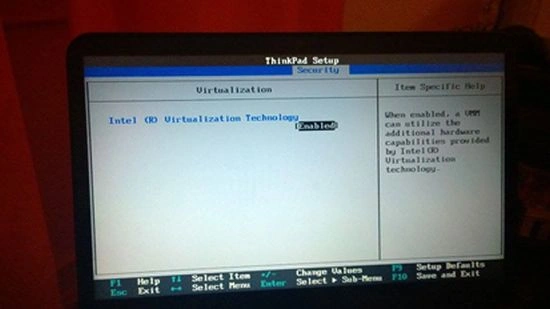


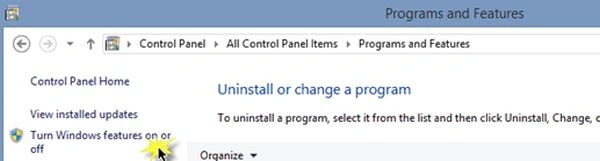
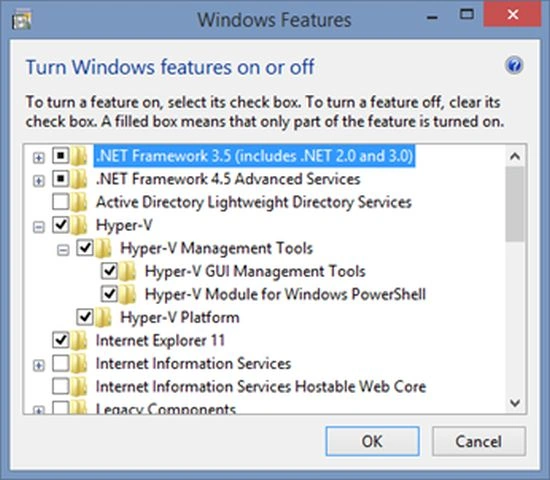
Prerequisites for Windows 10 Technical Preview
The following are the minimum system specification to install Windows 10 Technical Preview:
- Microsoft account and Internet access
- 1 GHz or faster Processor
- 2 GB RAM for 64 Bit machine.
- 16 GB of free hard disk space.
- Microsoft DirectX 9 graphics card with WDDM driver
Learn more about the prerequisites and the download Windows 10 Technical Preview from http://windows.microsoft.com/en-us/windows/preview.
Description
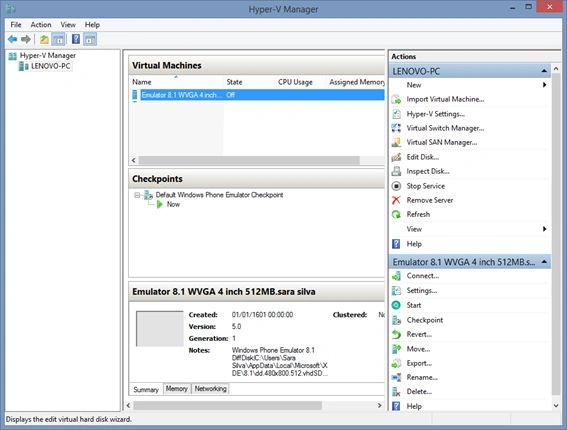
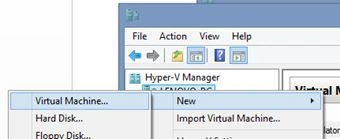
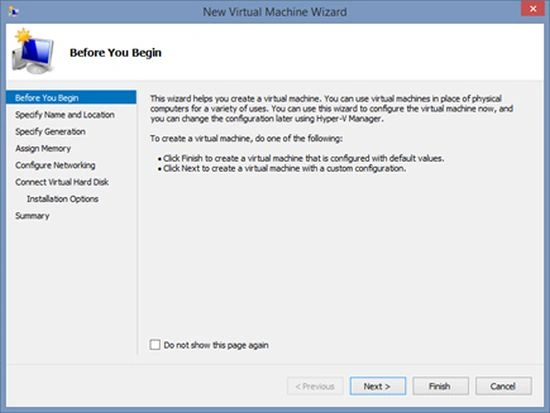
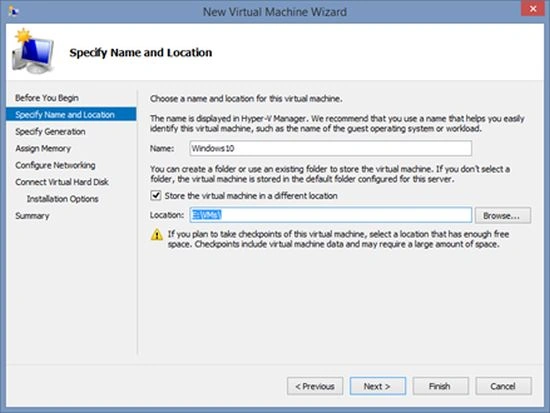
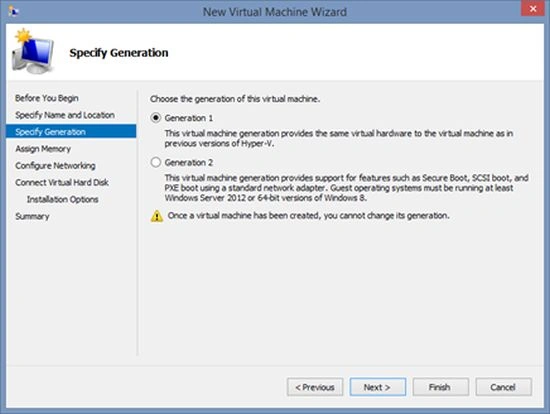
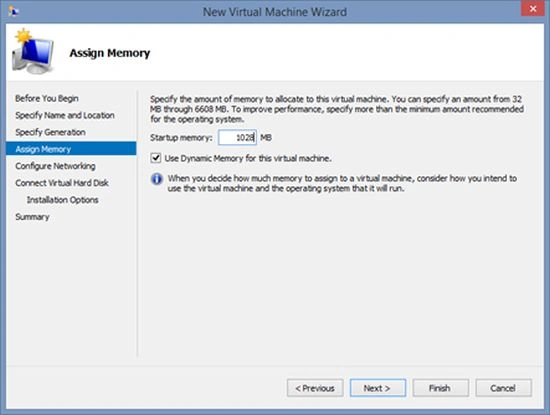
Here we can set the startup memory we want.
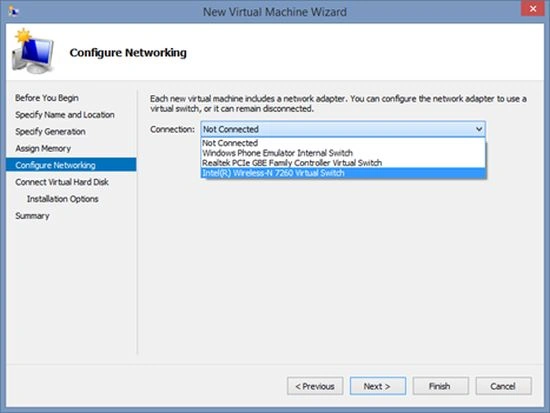
Set the connection type, in my case I have these options:
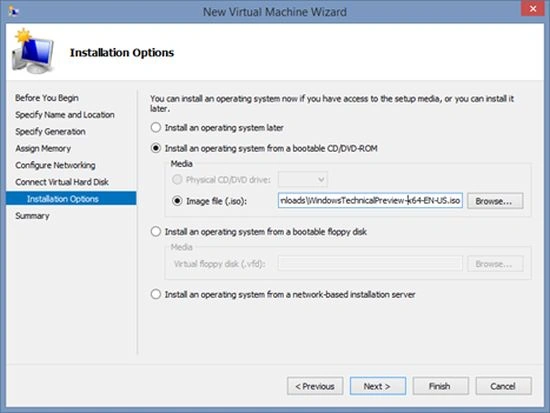
 Define the path for the ISO file (Download from insider.windows.com).
 Clicking on Finish, we will get this.
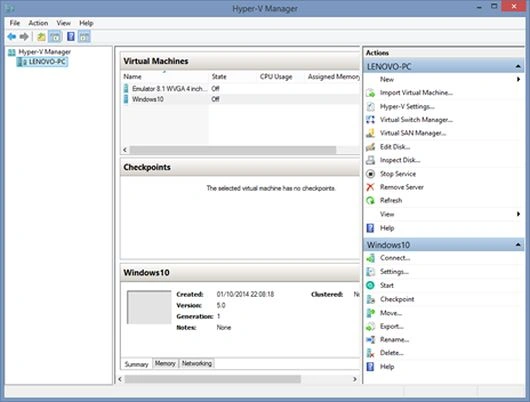 In the right panel, click in Start and then in Connect and you will see the following screen:
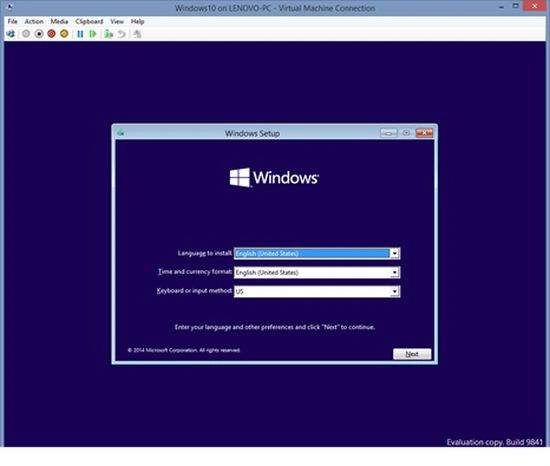 After setting some definitions you will have a screen to set your account. If you use your account that is used in Windows 8 or Windows 8.1 you will get the following screen:
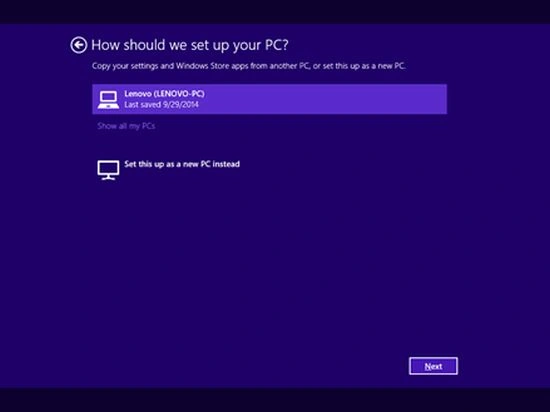 Choosing the first option, to copy all definitions from the actual computer to the machine, in the end, it will have all apps and settings from the “Lenovo-PC”.
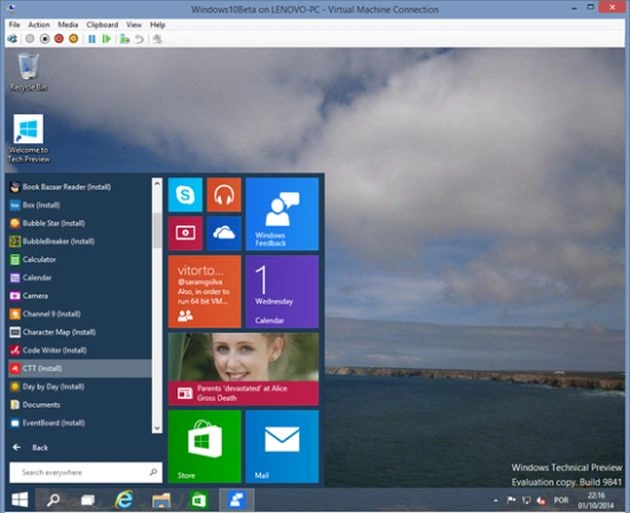
Here is the final result.
Choosing the first option, to copy all definitions from the actual computer to the machine, in the end, it will have all apps and settings from the “Lenovo-PC”.
Here is the final result.
Summary
In this article, we learned about How to Create a Virtual Machine To Run Windows 10 Technical Preview.
Faizan AmjadPosted Jan 22, 2015, 2:19 AM
Thanks for sharing
Udaya kumarPosted Oct 9, 2014, 2:36 AM
Thanks
Arvind PradhanPosted Oct 8, 2014, 10:59 PM
Thanks to share it......
Anupam SinghPosted Oct 4, 2014, 6:44 AM
Thanks for sharing steps to get it done..
Sam HobbsPosted Oct 3, 2014, 2:32 PM
There are a couple of utilities that might help to verify that virtualization is available and/or enabled. They both do not need installation; just download and use. See {http://www.microsoft.com/en-us/download/details.aspx?id=592} and {https://www.grc.com/securable.htm}.
Mahesh ChandPosted Oct 2, 2014, 7:03 AM
This is great, Sara. Helped me.
Jeetendra GundPosted Oct 2, 2014, 1:57 AM
Nice article, Thanks..